
Free
Every spend, without typing it
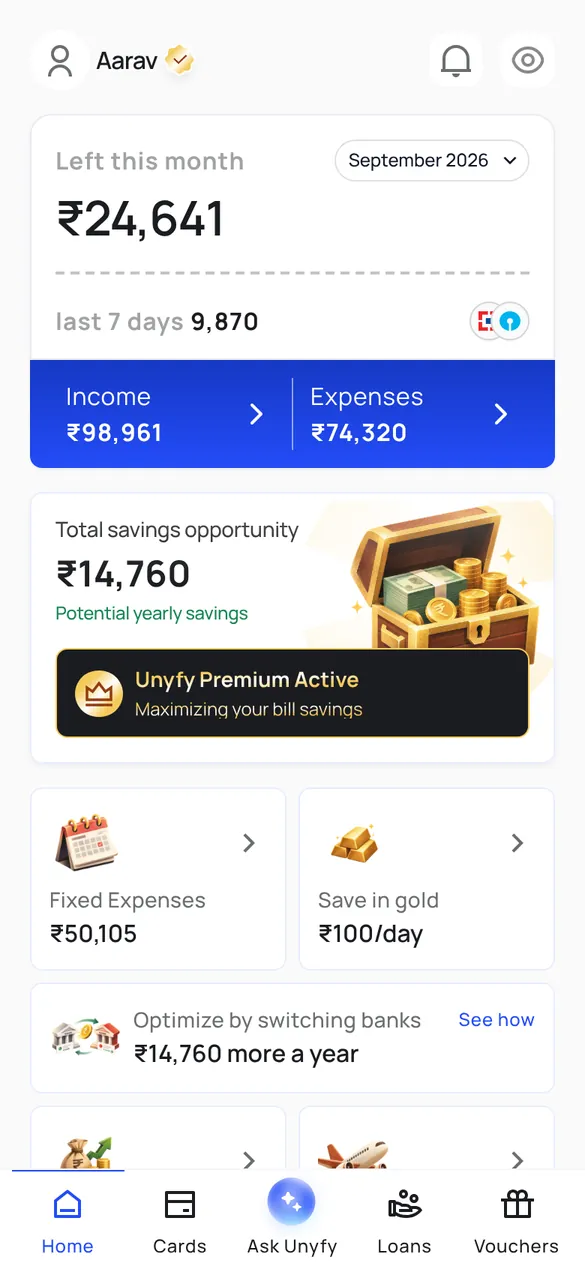
Unyfy reads your bank and card transaction emails and, on Android, your bank's SMS. UPI, card, NACH and transfer debits land in one list, and a payment reported by both SMS and email is counted once.
Unyfy features
Unyfy reads the transaction emails and, on Android, the SMS your bank already sends, and builds your money picture from them with no manual entry. These are its 19 features, each with a screen from the app and a note of whether it is free or part of Unyfy Pro at ₹99 a month.
The core of the app. Everything below is built on the transactions it reads.
Unyfy reads your bank and card transaction emails and, on Android, your bank's SMS. UPI, card, NACH and transfer debits land in one list, and a payment reported by both SMS and email is counted once.
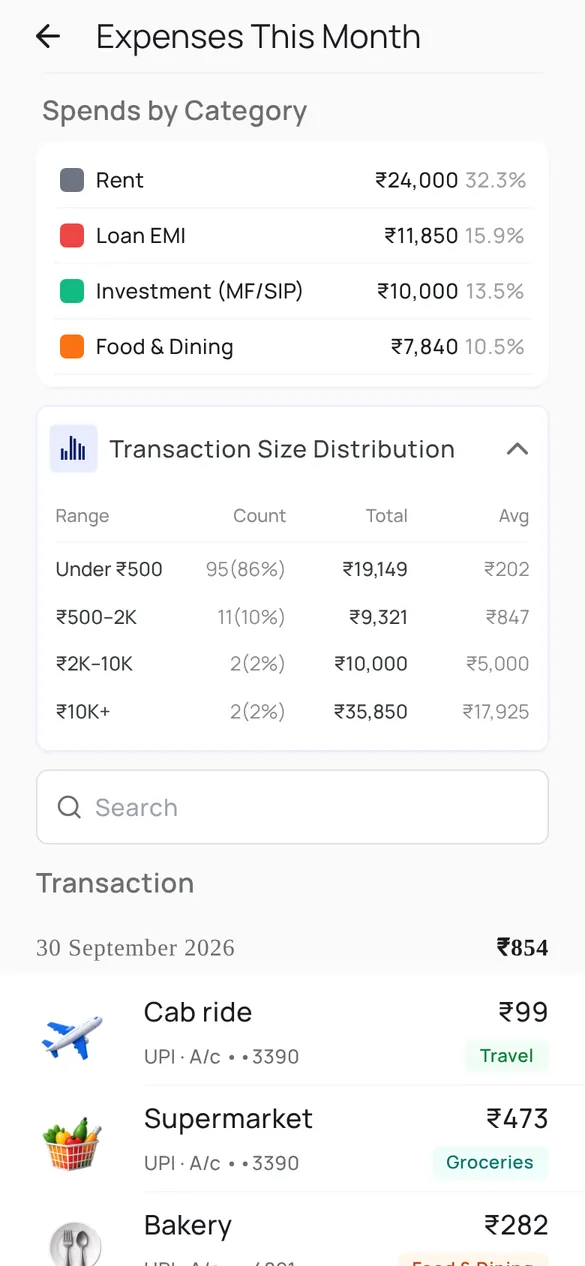
Spending by category with each one's share of the month, a daily spend chart, and how many of your payments were small, medium or large.
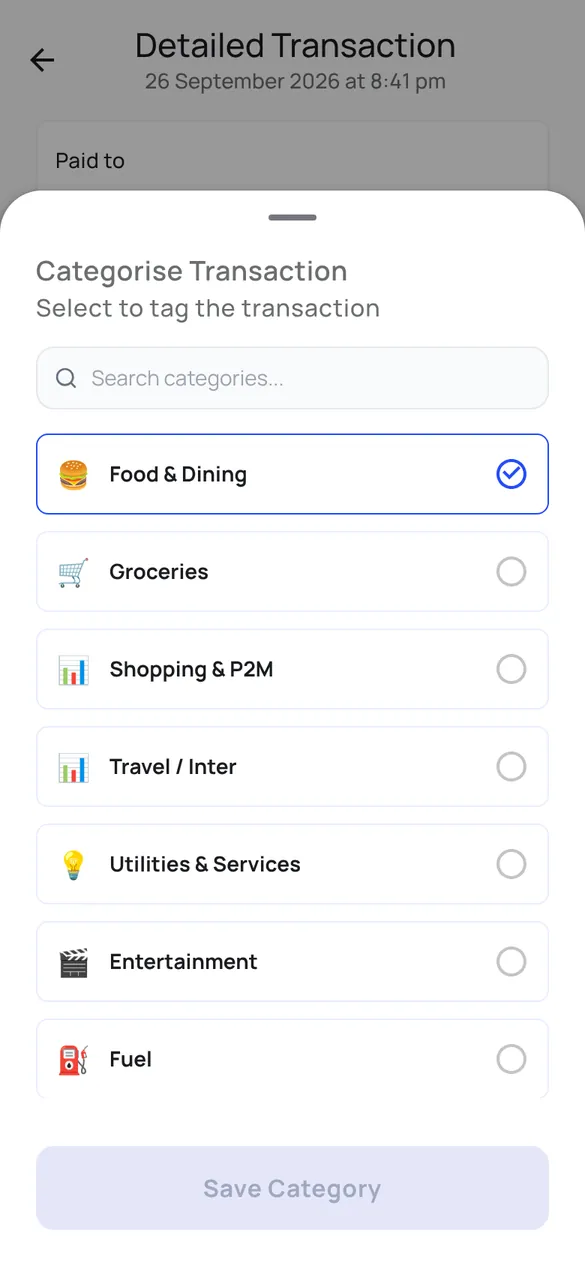
Open any payment to see the merchant, the account it came from and its reference number, and move it to the right category.
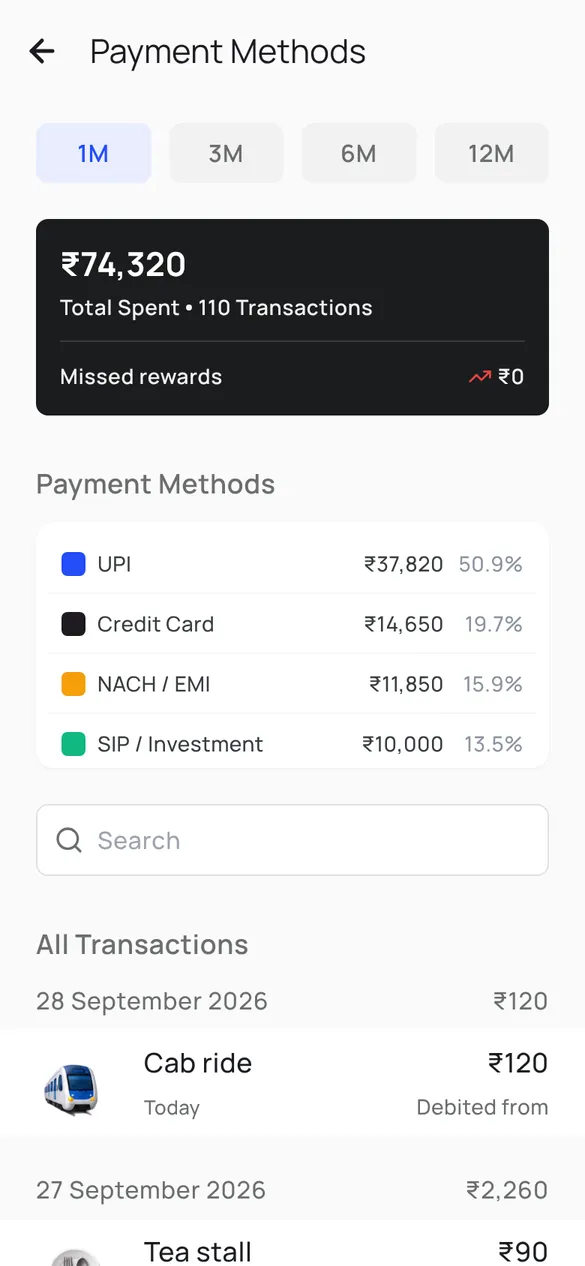
UPI, credit card, NACH and SIP debits side by side, with each one's share of the month and every payment listed underneath.
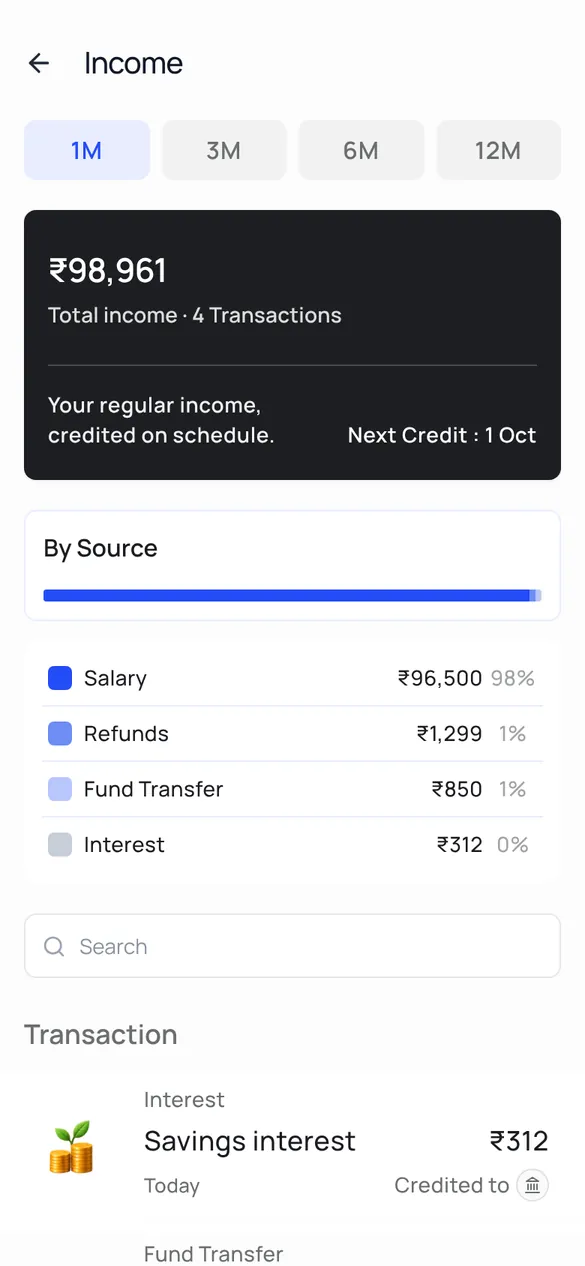
Salary, refunds, transfers, interest and dividends on separate lines, with the next expected credit. When your salary rises, it shows how much of the raise is still unallocated.
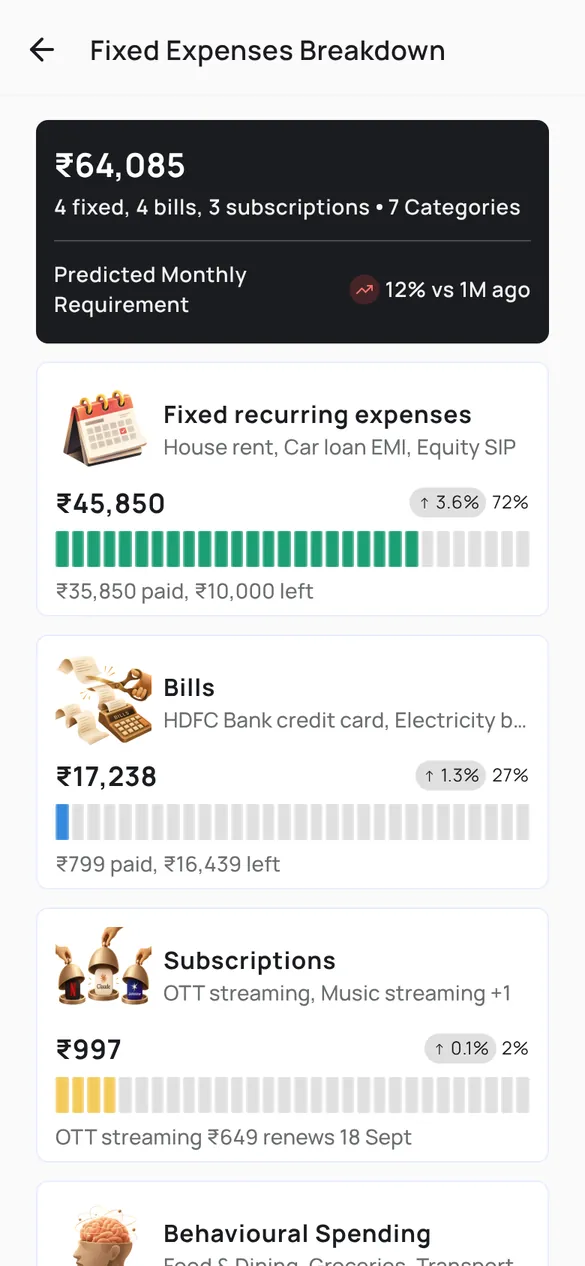
No budget to set: Unyfy predicts next month from what is already committed, EMIs, SIPs, rent, bills, subscriptions, the card bill and automated transfers such as NACH and UPI AutoPay, with what is paid and what is still left this month.
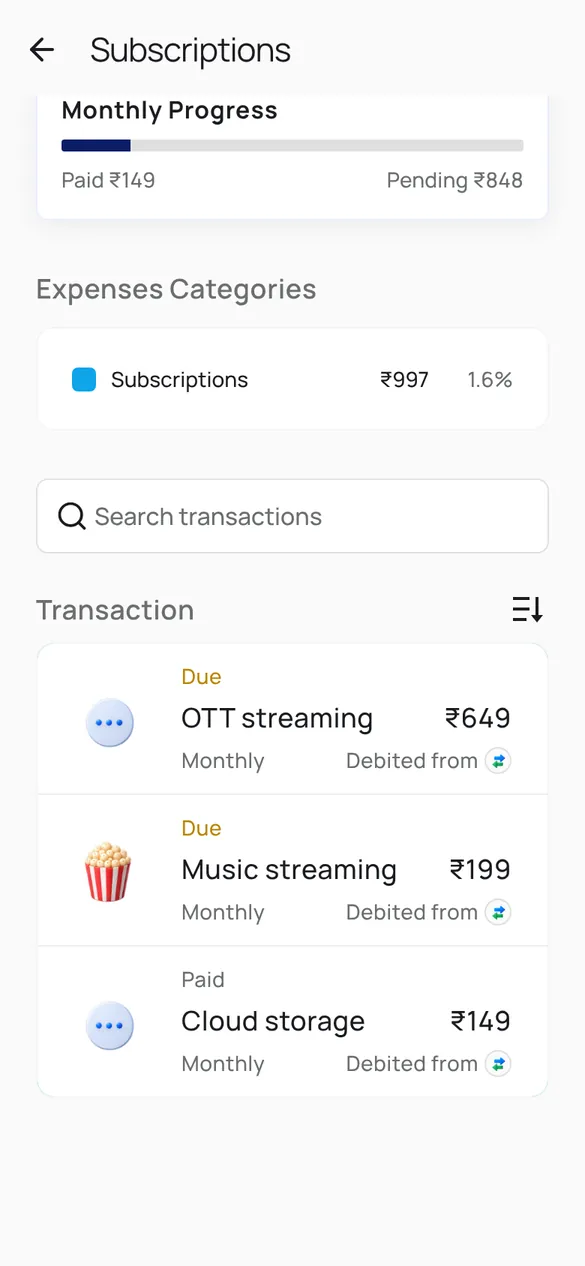
Every recurring subscription with its amount and whether it is due or paid this month. Open one to see how often it is paid, the usual payment days and its past payments.
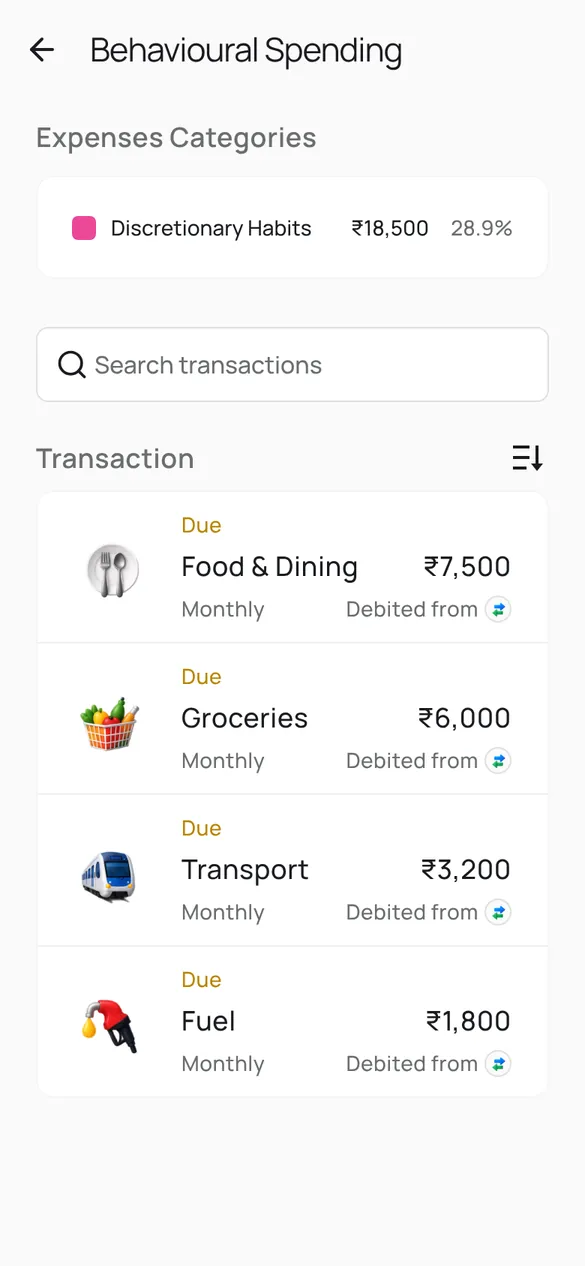
The habits behind your discretionary spending, such as food and dining, groceries and transport, with a typical month for each and the merchants behind it.
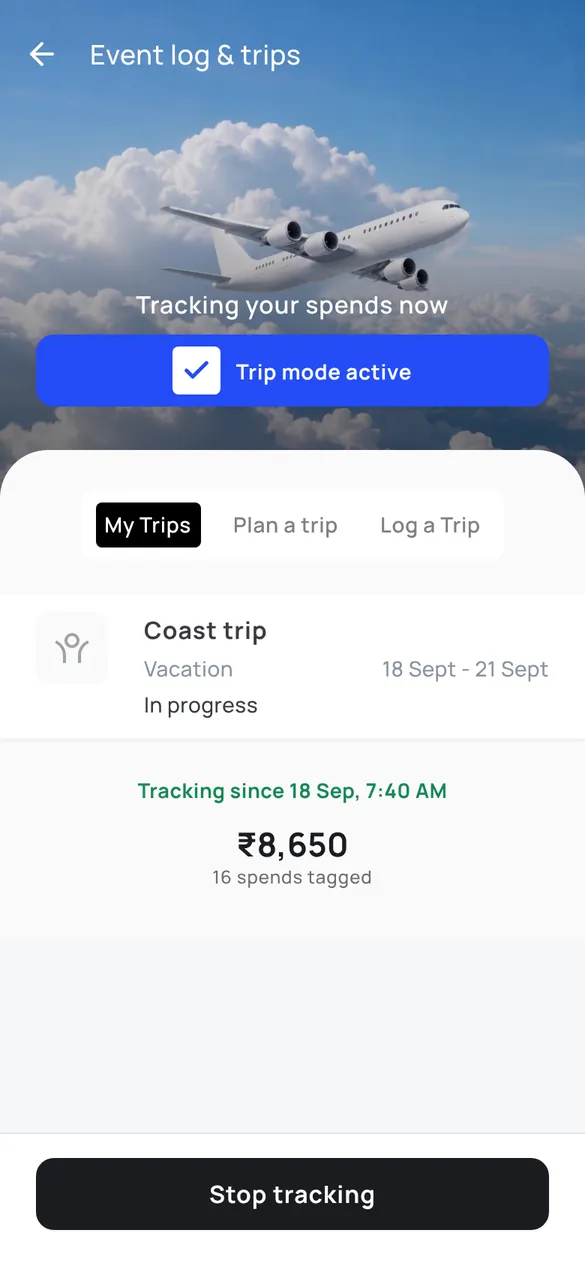
Swipe into trip mode, log a past trip or plan one. Each trip shows its own total by category and by day, and keeps out investments, EMIs, routine bills and regular transfers automatically.
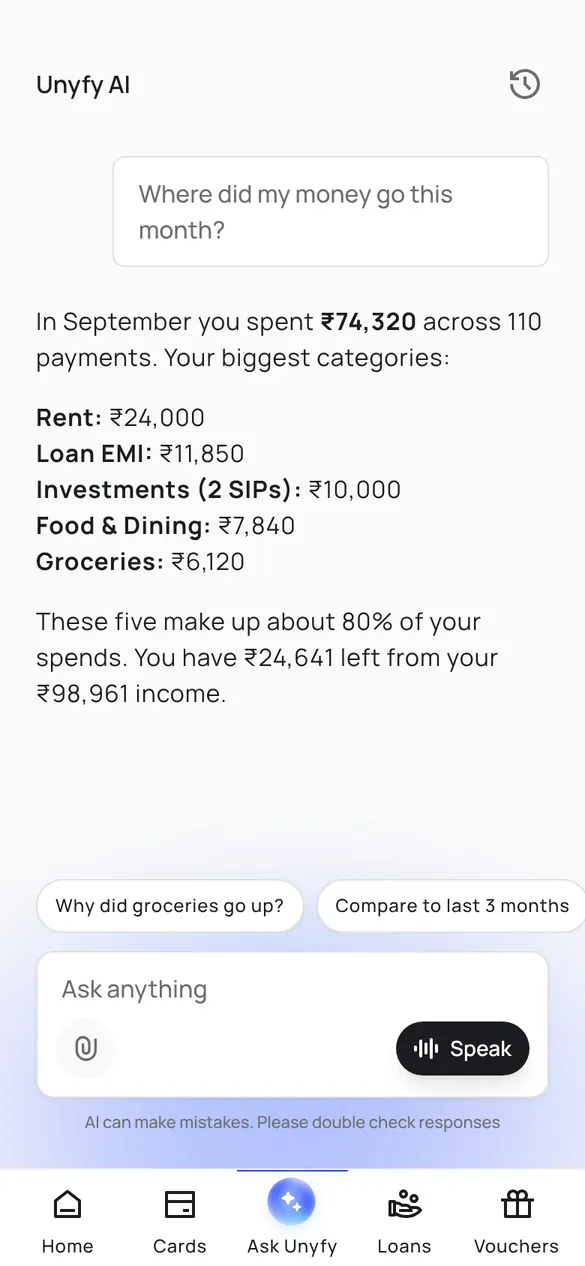
Ask about your own money in plain words, such as where the money went this month, and get the answer from your transactions.
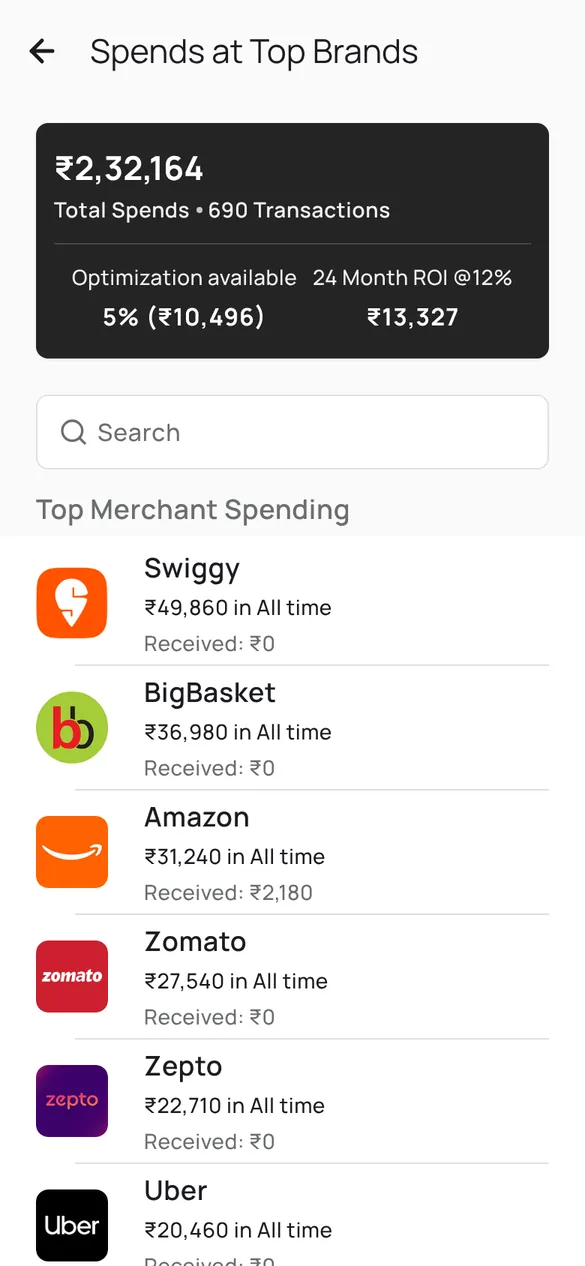
The brands you spend most at, with refunds received from each, and discounted vouchers at 470+ brands: typically around 7.5 percent, varying by brand, and up to 30 percent on some brands with Pro.
Whether the cards you hold are paying you back for what you actually spend.
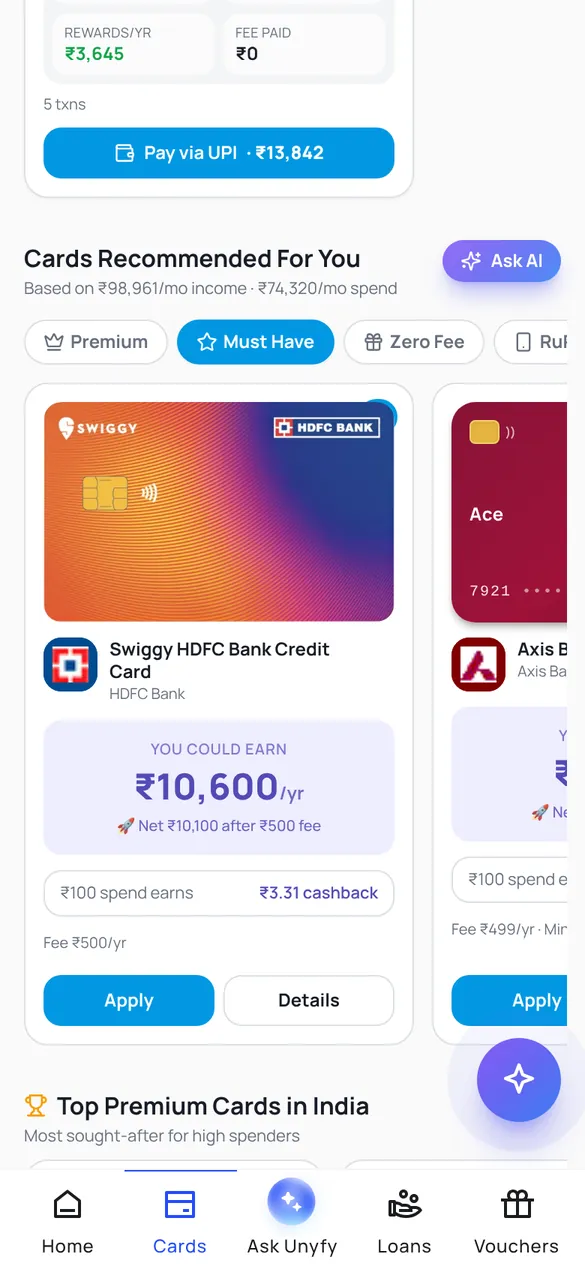
Your real category spending is run against 605 Indian credit cards from 32 issuers, filtered to cards your income qualifies for, with the yearly rewards each would earn after its fee. You can apply in the app.
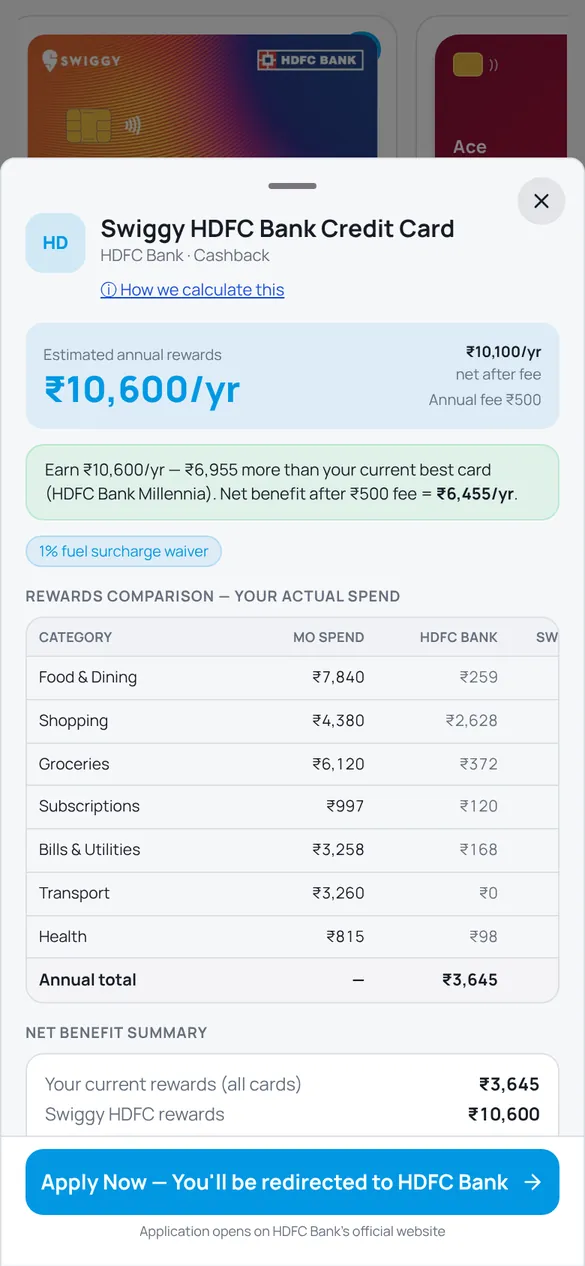
For a recommended card, the gap against your current best card, category by category, and the net benefit after the annual fee.
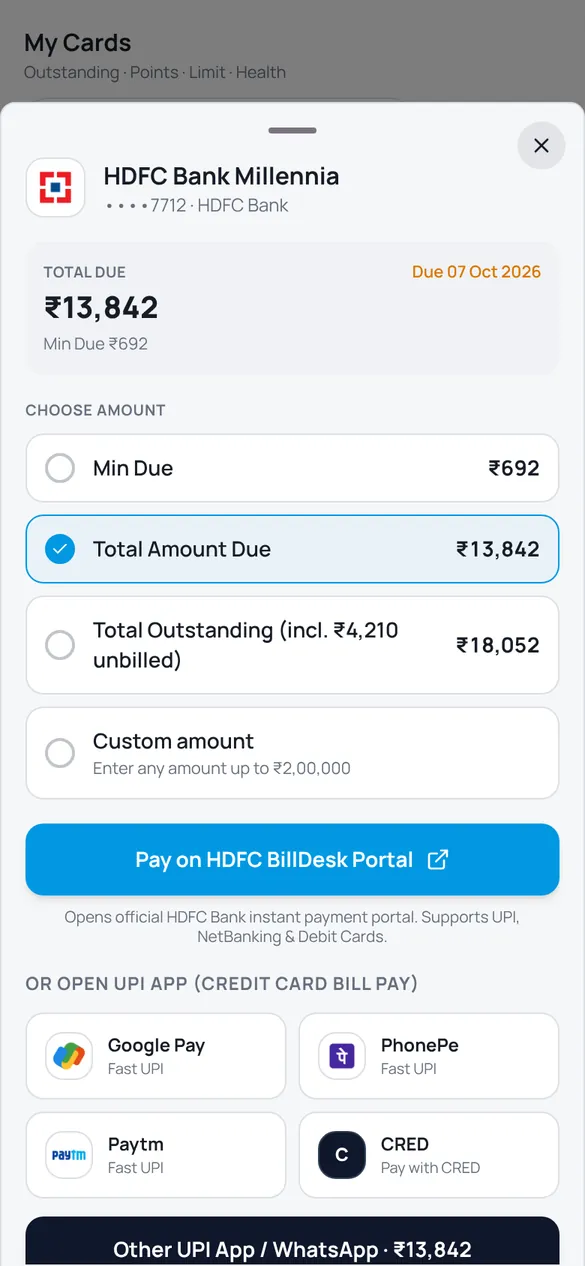
The total due, minimum due and due date for each card, and payment through the issuer's own portal or a UPI app of your choice.
What lenders see, and whether the loans you already have are priced fairly.
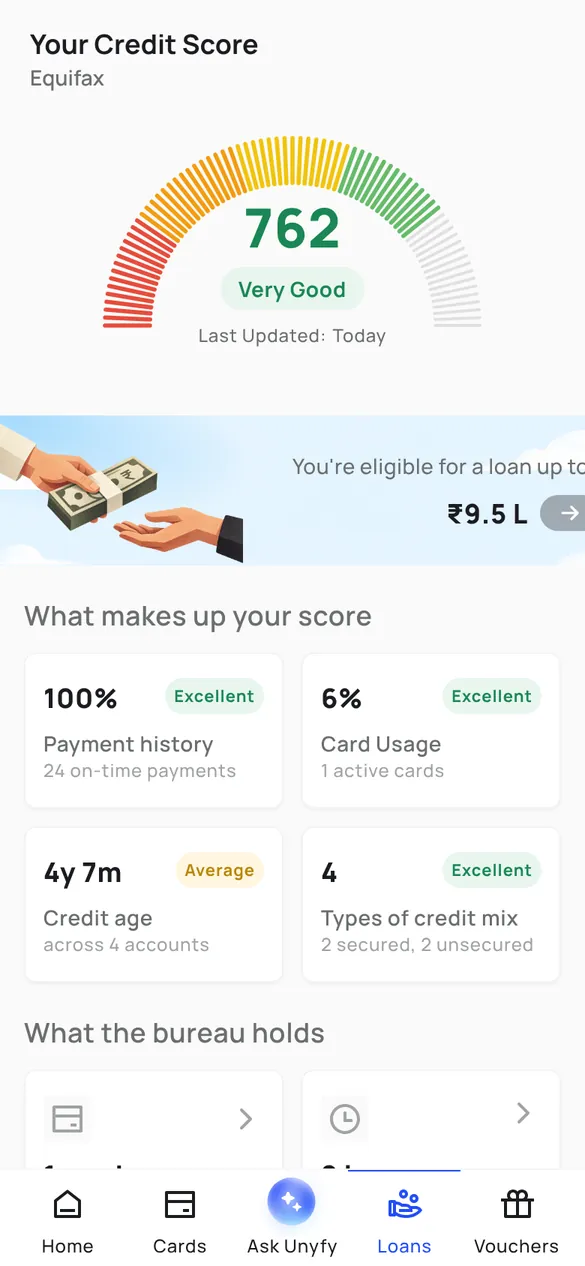
Your Equifax score with what drives it: payment history, card usage, credit age and credit mix. It is a soft enquiry, so checking does not affect the score, and an error on the report can be disputed from the app.
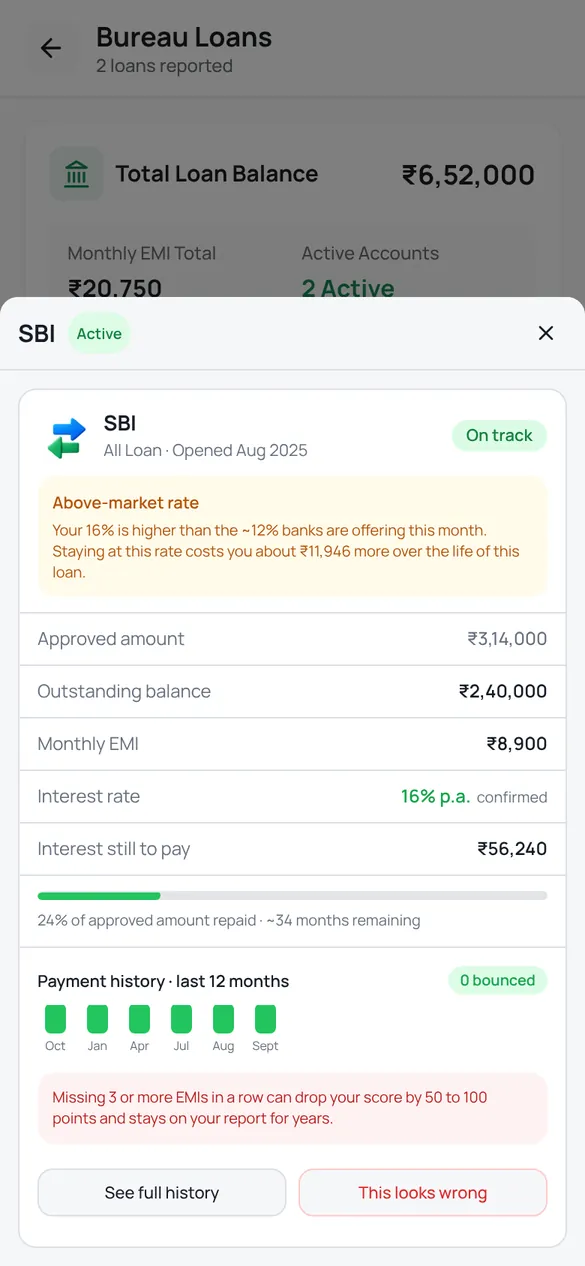
Each loan on your report with its rate, interest still to pay and payment history, flagged when it is priced above what banks offer today, with what that costs. Offers from 15+ banks and NBFCs show whether switching pays after the fee.
What you already invest, read from your transactions, and two places to add more.
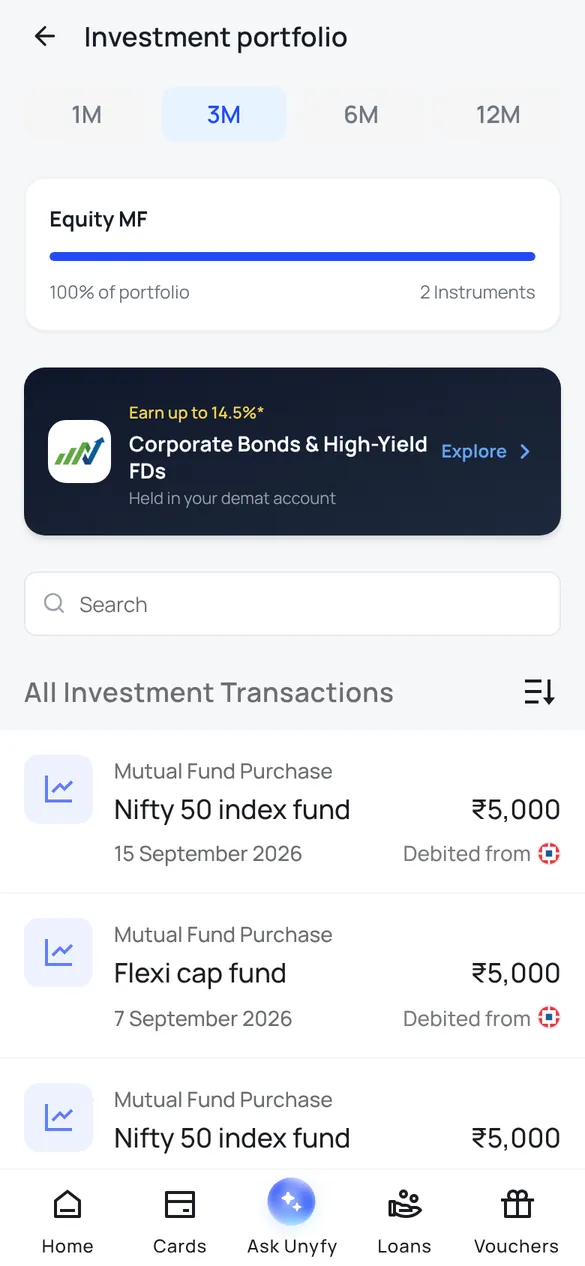
Mutual funds, SIPs, stocks, FDs and dividends picked up from your transactions, with every purchase listed by date and account.
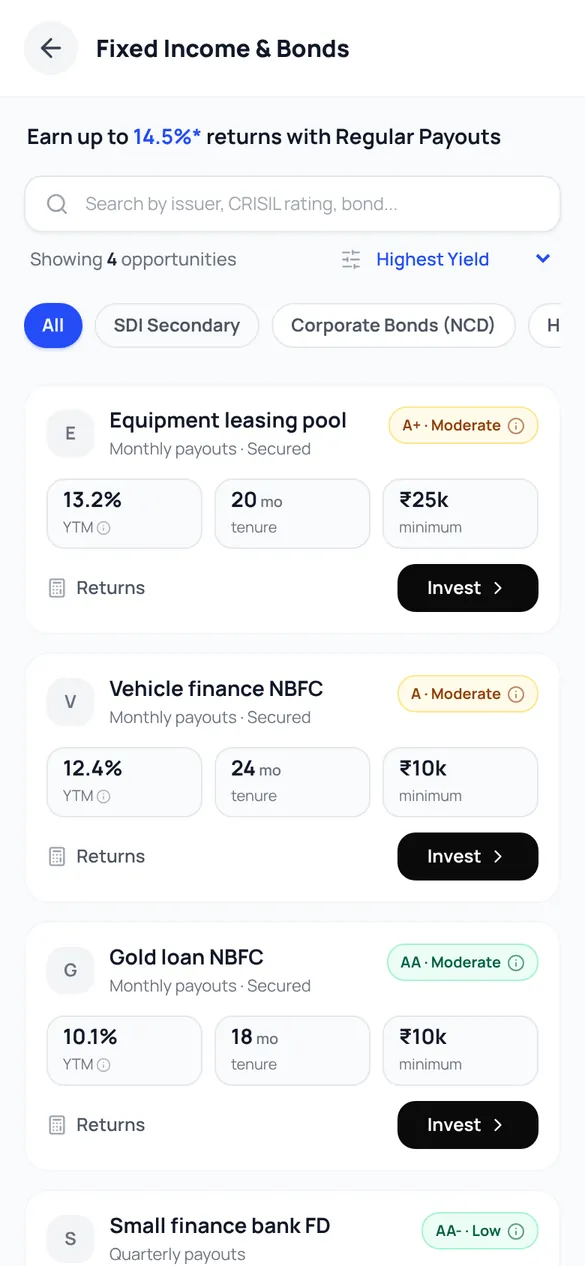
Corporate bonds and other fixed-income offers through Grip, sorted by yield with rating and tenure, each bought as a payment you authorise.
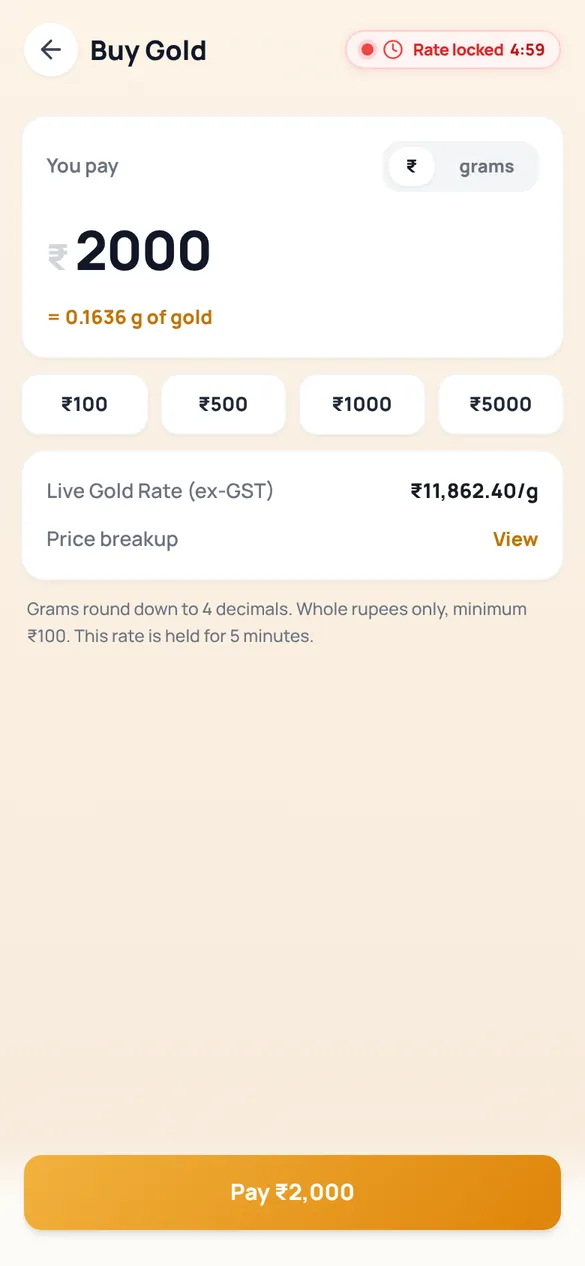
24K, 99.9 percent pure gold through SafeGold from ₹100, as a one-time buy or a SIP, at a live rate held while you pay.
Screens are from the Unyfy app with sample data for a sample user, Aarav. See how Unyfy works and what is in Free and Pro.
Install Unyfy on Android
On iPhone, use the web app at app.unyfy.co.in, which reads your bank's email alerts and statements.